


Ford SYNC 3 APIM Failure Symptoms: How to Tell If Your APIM Is Bad
Table of Contents
- How to Tell If Your Ford SYNC 3 APIM Is Failing
- APIM vs. Touchscreen: Why Replacing the Screen Won't Fix the Module
- SYNC 3 Screen Black or Blank: What It Usually Means
- SYNC 3 Freezing and Rebooting: When It Points to the Module
- Connectivity and GPS Symptoms: Bluetooth, CarPlay, and Navigation
- Other Components That Mimic APIM Failure Symptoms
- Ford APIM Replacement Programming: What Your Replacement Needs
- Frequently Asked Questions
Last Updated: September 21, 2026
How to Tell If Your Ford SYNC 3 APIM Is Failing
Ford SYNC 3 APIM failure symptoms rarely announce themselves all at once. The module typically degrades over weeks or months, and the first signs are easy to dismiss as a glitch, a bad cable, or a software hiccup. Intermittent problems that gradually become permanent are a common pattern.

The APIM, or Accessory Protocol Interface Module, is the computer that runs your SYNC 3 infotainment system. It handles the interface, voice recognition, Bluetooth pairing, navigation data, and vehicle settings. When it starts to fail, the symptoms show up across every function that depends on it.
Below, we break down the warning signs worth watching, plus the symptoms that point somewhere else entirely. That distinction matters, because replacing a working screen won't fix a dead module, and vice versa.
APIM vs. Touchscreen: Why Replacing the Screen Won't Fix the Module
The APIM is the computer that runs SYNC 3, while the touchscreen/display shows the information generated by the APIM and provides the touch interface. Although they work together, they are separate components and can fail independently.

A screen that flickers, shows dead spots, or has a cracked digitizer can be a screen problem. A screen that stays completely black while the rest of the vehicle works normally is more often a module or power problem.
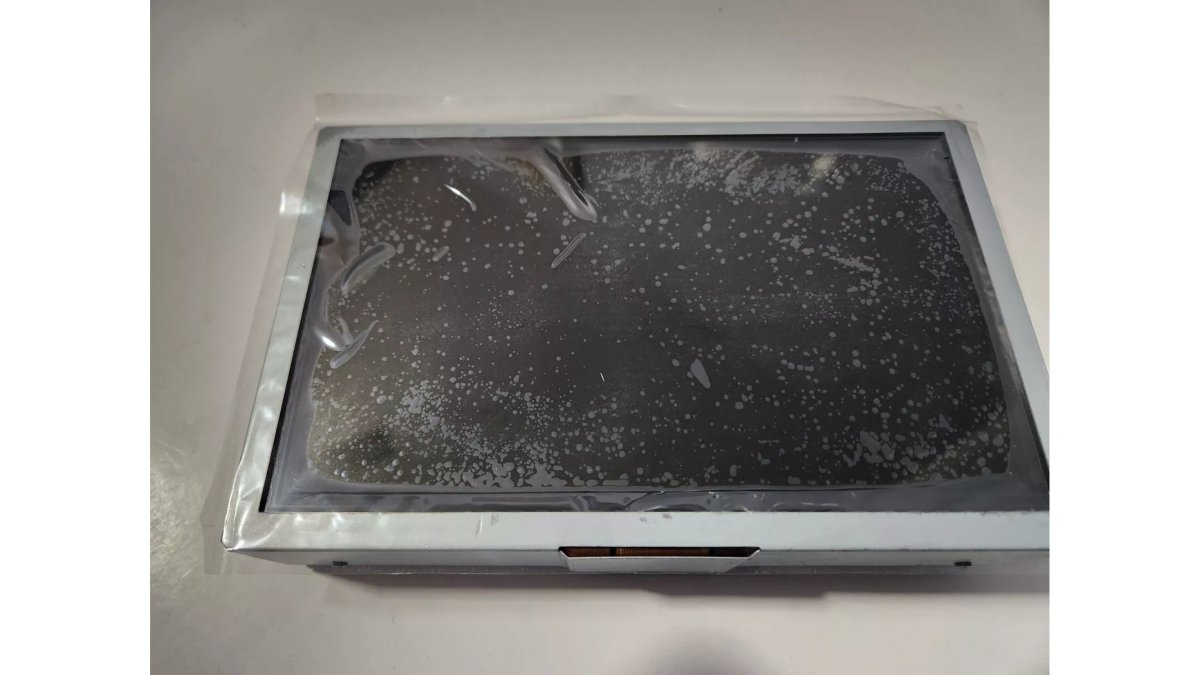
All Things Sync stocks a Sync 3 Replacement Screen with new Digitizer for genuine display faults. Black screens can be caused by the APIM, the display, power issues, loose connections, or other faults, so this screen may not resolve a black screen issue if the cause lies elsewhere.
SYNC 3 Screen Black or Blank: What It Usually Means
A black SYNC 3 screen is the most common APIM failure symptom, but it is not proof of one. The display can go dark because the APIM has failed, because the screen itself has failed, or because the module is not receiving power.

Start with the simple checks. Confirm the vehicle battery is healthy and check the appropriate fuses for the SYNC system. A completely black screen can be caused by the APIM, display, power/connection issue, or another fault. The presence of radio audio alone does not rule out an APIM problem because the vehicle's audio system involves components separate from the APIM. Additional symptoms and proper diagnosis should be considered before replacing either the APIM or screen.
SYNC 3 Freezing and Rebooting: When It Points to the Module
Freezing and repeated rebooting point to the module when they happen consistently and without a triggering event. A one-time freeze after a map update is normal. A system that reboots every few minutes, or locks up on the same screen every drive cycle, is showing classic APIM behavior.
Watch for boot loops, where the system restarts before it finishes loading. This pattern usually indicates corrupted firmware or failing memory inside the module. A master reset can sometimes clear a software fault, but it will not repair failing hardware.
Master Reset vs. Hard Reset: Do This Before You Buy Anything
Most owners jump straight to replacement. Before you spend anything, run through the two resets below in order. They cost nothing and they separate a software fault from a hardware failure.
Master Reset (soft reset, done through the screen)
- Start the vehicle and let SYNC 3 fully boot.
- Open Settings, then General.
- Scroll to Master Reset and confirm.
- The screen will go dark and the system will reboot. This can take several minutes, do not cycle the ignition while it works.
- When it comes back, you will need to re-pair phones, re-enter saved stations, and re-accept navigation prompts. That is expected, not a new fault.
A master reset wipes user data and returns SYNC 3 to factory defaults. It does not touch the module's firmware or its as-built configuration.
Hard Reset (power-cycle the module)
FORD & LINCOLN SYNC 3 APIM REPLACEMENT →
A hard reset cuts power to the APIM so it restarts from a cold state. The exact procedure varies by vehicle, so check your owner's manual before doing this. The common approaches are:
- Pull the infotainment fuse for the SYNC circuit for about a minute, then reinstall it.
- Disconnect the negative battery terminal for a few minutes, then reconnect it. On some vehicles this will trigger other relearn procedures, so read your manual first.
How to read the result
What happens after the reset |
What it usually means |
|---|---|
Problem disappears and doesn't return |
May have been a temporary software issue |
Problem disappears but repeatedly returns |
Further diagnosis recommended; an APIM or software issue is possible. |
System won't boot |
May indicate a failing APIM; recommend further diagnosis |
Settings repeatedly fail to save |
May point to the APIM; recommend further diagnosis |
If a master reset temporarily resolves the problem but the same symptoms repeatedly return, further diagnosis is recommended rather than continuing to reset the system.
Connectivity and GPS Symptoms: Bluetooth, CarPlay, and Navigation
Connectivity failures are APIM symptoms only when they affect multiple systems at once. Bluetooth that drops, CarPlay that won't launch, and navigation that loses its position all at the same time suggests the module. A single failing function usually points elsewhere.
Here's how to separate them:
Symptom |
Likely Component |
Quick Test |
|---|---|---|
CarPlay drops, Bluetooth fine |
USB hub or cable |
Try a different cable and port |
Bluetooth and CarPlay both fail |
APIM |
Check if voice commands also fail |
GPS off by a block or more |
GPS antenna |
Inspect antenna connection |
The USB hub and cable are frequent culprits for CarPlay issues, and the GPS antenna is a common cause of navigation drift. If AM/FM/SiriusXM audio fails but the SYNC interface still works, look at the ACM/audio system rather than assuming the APIM is defective.
Other Components That Mimic APIM Failure Symptoms
Screen/display — black screen, flickering, touch issues.
ACM — AM/FM/SiriusXM or other audio-related faults.
USB hub/cable — wired CarPlay/Android Auto connection issues.
GPS antenna — incorrect vehicle position/navigation problems.
Power/fuses/connections — APIM that doesn't power up.
Pull the Codes Before You Buy Parts
Diagnostic trouble codes (DTCs) give you a useful clue about which module is reporting a problem, but a code alone should not be the sole basis for replacing a part. Pull the codes and weigh them alongside the symptoms you're seeing — whether it points to lost communication with the APIM, a network fault, or something else entirely — before deciding what to replace. Considering both together prevents the most common mistake in this whole process: replacing a module that was never the problem.
Ford APIM Replacement Programming: What Your Replacement Needs
A replacement APIM must be programmed before it will work correctly. All Things Sync programs supported replacement APIMs to the customer's VIN before shipping, eliminating the need for a dealer programming visit in normal installations.
Frequently Asked Questions
How do you know if your APIM module is bad?
APIM failure symptoms include a black or blank screen, SYNC 3 freezing and rebooting, settings that reset on their own, and intermittent Bluetooth or CarPlay drops. A key sign is when several of these appear at once. Because a failed screen, USB hub, or GPS antenna can cause similar issues, confirm the module is the source before ordering a replacement. All Things Sync programs genuine OEM APIMs to your VIN so supported replacements install without a dealer visit.
What is the difference between the APIM and the touchscreen?
The APIM (Accessory Protocol Interface Module) is the computer that runs SYNC 3, storing software, settings, and vehicle configuration. The touchscreen is just the display and digitizer you touch. A dead or flickering screen can be a display fault, but a black screen with no audio or response often points to the APIM. Replacing a working screen will not repair a failed APIM, so diagnose which part is actually failing first.
Do I need to program a replacement APIM to my vehicle?
Yes. A replacement APIM generally needs to be configured for your specific vehicle and its factory features, including as-built data and supported options. An unprogrammed module may power on but lose functionality or fail to work correctly. All Things Sync ships genuine OEM Ford and Lincoln APIMs programmed to your VIN before shipping, so supported replacements are plug and play with no dealer programming normally required. Verify your vehicle's compatibility before ordering.
Can other components cause symptoms similar to an APIM failure?
Yes. Audio and radio problems can involve the ACM, a black display can be a screen or power issue, CarPlay problems can come from the USB hub or cable, and GPS errors can trace to the antenna. That is why a single symptom rarely confirms APIM failure. Look for several symptoms together, such as a black screen plus rebooting plus lost settings, before concluding the module itself has failed.